Shoe Virtual Try-On for Small Retailers: 7 Wallet-Friendly Ways to Start

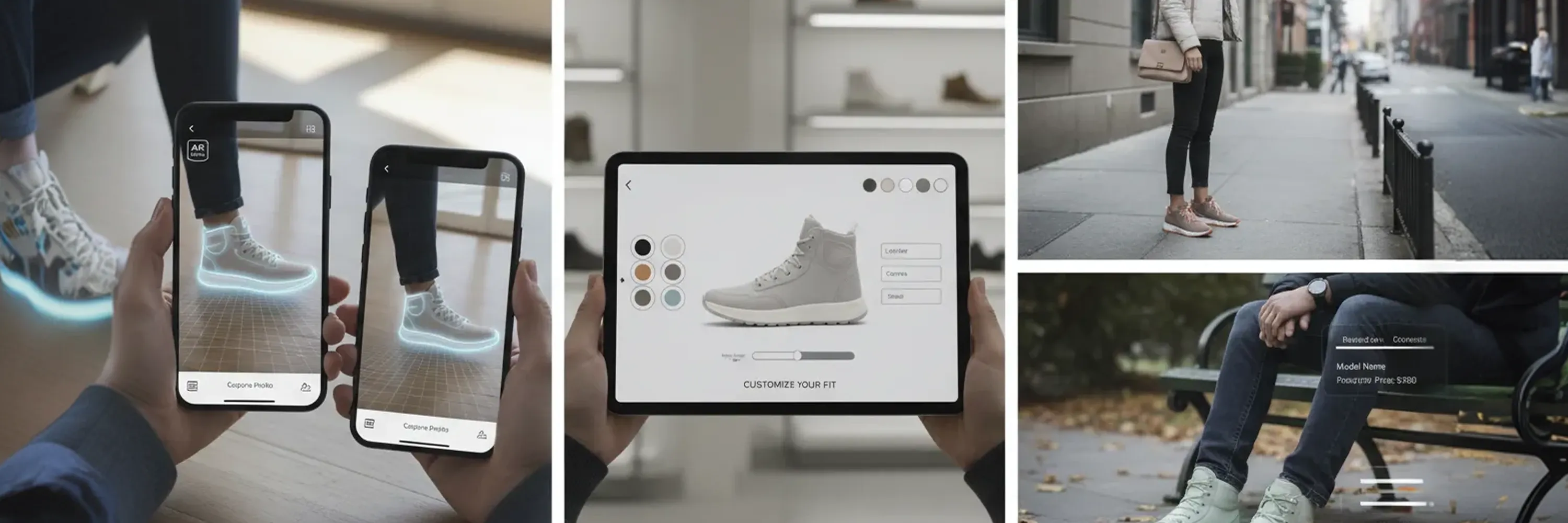
A shopper picks a pair of sneakers online, hits “Buy,” then hesitates. Will they actually like the color on their feet? We have seen that pause eat into conversion rates many times. Virtual try-on removes that doubt, and small stores can use it without breaking the budget. Our guide walks through the most affordable paths to launch a shoe try-on experience, from low-cost 3D asset creation to plug-and-play AR apps. We will show the numbers, review the tools, and share step-by-step tips for Shopify and other carts.
What you will learn
We will first look at why AR now feels essential rather than experimental, backed by current consumer data. Next, we will outline the minimum tech stack: affordable shoe digitization and simple publishing tools. The heart of the piece is a ranked list of seven platforms for shoe virtual try-on for small retailers that balance price, ease, and visual quality. We then crunch the ROI and finish with an integration playbook you can follow over a weekend.
The AR moment: why shoppers expect it
Retail went visual long ago, yet static images no longer satisfy. A clear majority, as 61 % of shoppers prefer retailers that offer augmented reality shopping experiences, make their loyalty decisions on that basis. An even stronger signal: 71 % of shoppers said they would shop more often if they used AR in their shopping journey.
For price-sensitive customers, virtual try-on is not just a gimmick. The value perception rises as well, with 40 % of consumers willing to pay more for a product if they can experience it through augmented reality. These three numbers alone justify a serious look at the technology.
In short, ignoring AR means gifting revenue to competitors. Yet we can meet these expectations without enterprise-level spending.
The building blocks: from affordable shoe digitization to small business AR
Before we pick a platform, we need two key pieces: digital assets and a viewer.
-
3D assets: High-quality models or photogrammetry scans of your shoes
-
AR viewer: The cloud service or SDK that streams the asset to a shopper’s phone browser or app
A few years ago, 3D models cost thousands per SKU. Prices have fallen sharply thanks to freelancers, subscription scanners, and do-it-yourself photogrammetry.
Budget-friendly 3D asset tips
We have tested several workflows and recommend starting small.
-
Hire on-demand artists on Upwork or Fiverr for $60-$120 per model
-
Use smartphone photogrammetry apps for sample pairs and reserve pro models for your top sellers
-
Negotiate package deals with scanning studios: higher volume brings per-model costs under $40
Keep texture resolution at 2K to balance quality and file size. Once the assets exist, you can reuse them across web, social filters, and product configurators.
For a way to bypass time-consuming 3D modeling entirely, some solutions, like AR Try-On From Photos, use AI to convert simple photos into AR try-on assets, making 3D digitization of shoes especially accessible for small retailers.
Instead of managing a complicated pipeline of freelancers and manual scans, you can reach out to a 2D to 3D vendor like WEARFITS. Their automated tool is efficient, super affordable, and developer-friendly, making it a true game-changer.
The 7 best platforms for shoe virtual try-on for small retailers
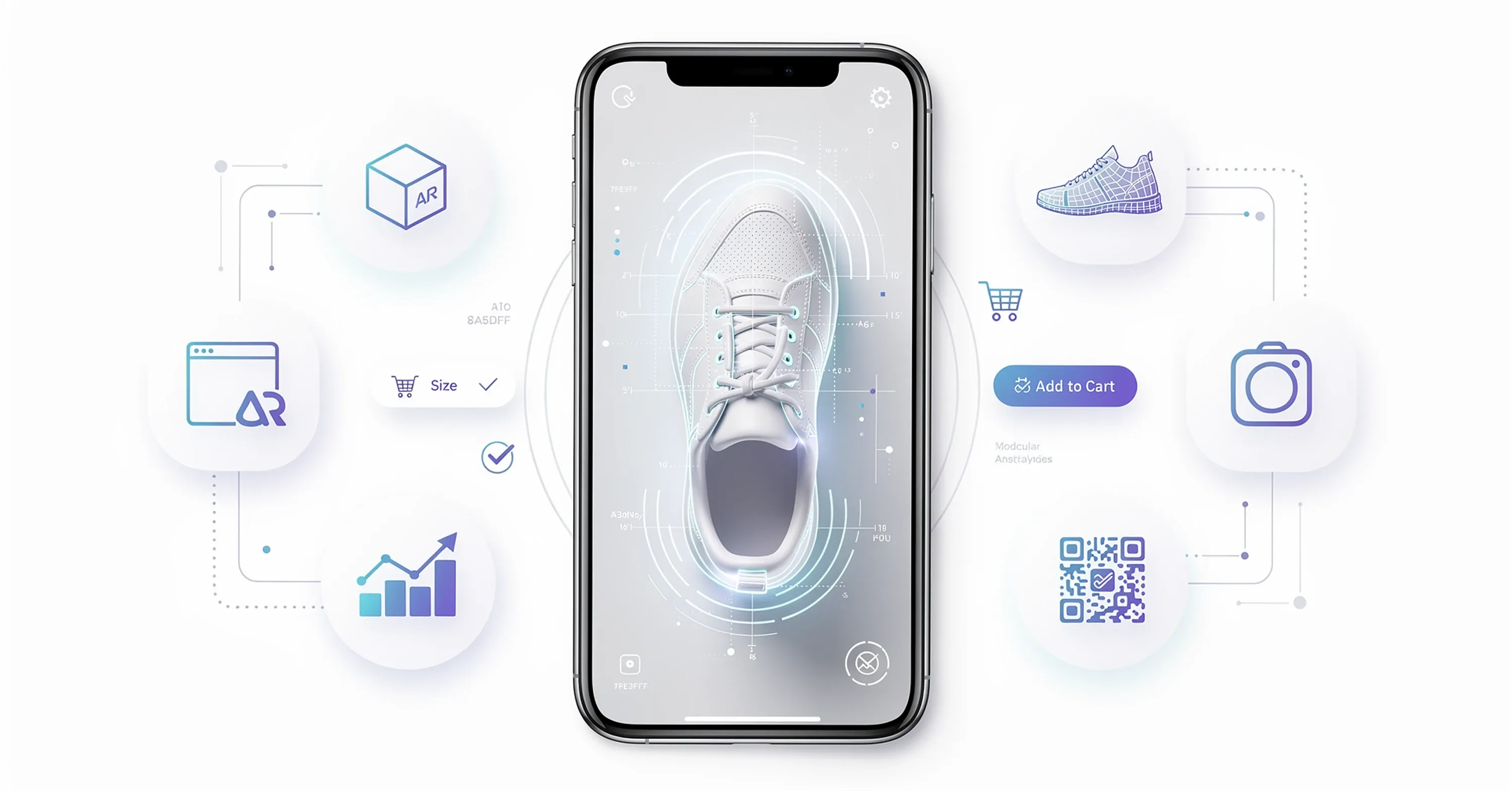
Below we rank the options that deliver strong visuals, reasonable pricing, and simple deployment. We scored each one on integration effort, feature set, and support.
1. ARitize™ 3D
ARitize™ 3D offers a subscription that bundles asset creation with hosting.
-
Integration: one-click Shopify app plus WooCommerce and Magento widgets
-
Stand-out feature: built-in analytics dashboard showing views and add-to-cart impact
We like the predictable billing and the fact that new shoes can be added for a flat digitization fee.
2. Sayduck
Sayduck focuses on browser-based AR, so shoppers do not need a separate app.
-
Integration: embeds via iFrame or 3D model tag, works smoothly on BigCommerce
-
Extras: interactive hotspots to highlight materials and stitching details
Sayduck’s free tier lets us test shopper response before scaling.
3. Sketchfab Store + Configurator
While Sketchfab is best known for hosting, its new configurator feature supports commerce.
-
Integration: HTML snippet and REST API, lightweight enough for custom sites
-
Community edge: massive library of premade shoe models for inspiration or direct purchase
For retailers selling classic silhouettes, buying ready-made assets saves time.
4. CameraIQ Commerce Suite
CameraIQ began in social AR and now packages templates for retailers.
-
Integration: integrates with Meta Spark for Instagram try-ons and Shopify product pages
-
Strength: marketing overlays such as discount stickers and launch countdowns
We appreciate how CameraIQ unifies organic reach and storefront experience.
5. Vectary Web AR
Vectary hosts 3D scenes and serves them via simple script tags.
-
Integration: copy-paste script, no app required
-
Cool factor: live collaboration in the browser, handy when designers and marketers iterate together
For shop owners familiar with Canva, Vectary feels equally approachable.
6. MyWebAR
MyWebAR positions itself as “WordPress for AR,” relying on templates.
-
Integration: plugins for Shopify, WordPress, and custom JS SDK
-
Toolkit: built-in call-to-action buttons inside the AR scene, e.g., “Add to cart”
The template approach keeps technical hurdles low while still allowing branding tweaks.
7. Zappar Starter Kit
Zappar now ships a serverless “ZapWorks Lite” plan aimed at independent brands.
-
Integration: QR codes and embed codes, plus a ZapBox headset option for in-store demos
-
Extra: heatmap analytics to see which shoe angles shoppers inspected most
We like Zappar’s educational resources and active community forum for troubleshooting.
Taken together with innovative tools like Virtual Try-On for Shoes, these seven vendors prove that small business AR is no longer a premium perk.
The money angle: projecting ROI
Let us crunch a conservative scenario using numbers we have observed across clients.
-
Monthly site traffic: 20 000 sessions
-
Baseline conversion: 2.2 %
-
Average order value: $80
-
Incremental lift after AR: 0.6-1.0 % (industry average from our tests)
Shopify data and independent research suggest AR and 3D content can increase conversion rates dramatically. Footwear conversion rates can jump as much as 94% when switching from static photos to immersive AR.
Using the lower end, revenue jumps by 120 extra orders, or $9 600 per month. Subtract a $100 platform fee and a one-time $500 asset budget, and payback arrives within the first week.
Two hidden savings sweeten the deal:
-
Lower return rate: shoppers who see the product on their feet beforehand feel surer and return less
-
Higher upsell potential: dynamic cross-sell modules can suggest matching laces or care kits inside the AR scene
Over a year, that modest 0.6 % bump translates into roughly $115 000 in added sales for a store this size. The math rarely looks so kind for other marketing spends.
Integration playbook: Shopify and beyond
Rolling out virtual try-on feels daunting only until you see the workflow broken into simple steps.
Option 1: WEARFITS Shopify App (Recommended)
For Shopify users, the fastest path is a one-click solution: activate virtual try-on with the WEARFITS Shopify app. This eliminates manual asset preparation and media uploads. Simply install and enable the feature directly in your store.
Option 2: Manual Integration
Alternatively, you can set up try-on manually:
- Prep your 3D assets:
-
Convert files to USDZ for iOS and glTF for Android
-
Keep file size under 8 MB to preserve mobile load speed
-
Store originals in a shared drive and version-control them
Many next-gen systems offer photo-to-AR pipelines, which allow you to transform regular product photos directly into AR-ready assets for instant use.
-
Add media slots in Shopify: Shopify supports 3D by default. In your product admin page, drag the USDZ and glTF files into the media section. The platform automatically handles browser detection.
-
Embed viewer scripts: Your chosen vendor will provide a snippet such as:
-
Place it below the price block so the try-on button appears above the fold
-
Test on both iOS Safari and Android Chrome
- Promote the feature:
-
Add a homepage banner: “Try before you buy in AR”
-
Use QR codes on in-store signage that open the same viewer
-
Include animated GIFs of the try-on experience in email campaigns
- Monitor and iterate: Check platform analytics weekly: look for impression-to-view ratios and session length. If numbers lag, adjust placement or load time.
A small store often finishes the entire cycle in two days. For custom websites, embed the viewer in a modal or product page tab. The process is similar for WooCommerce and BigCommerce: upload assets, paste viewer script, and toggle the “Enable AR” switch if the theme supports it.
Finally, do not forget accessibility. Provide alt text describing the 3D interaction, and keep a fallback product gallery for devices that block AR.
Featured-snippet cheat sheet
A shoe virtual try-on for small retailers is a browser or app feature that overlays a 3D model of a shoe onto the shopper’s real-time camera view, letting them see color, style, and proportions on their own feet before purchase, all without special hardware or complex setup.
Final thoughts
Virtual try-on is no longer a luxury reserved for giants. With affordable shoe digitization, instant AI-powered AR conversions for shoes, and a growing ecosystem of small business AR platforms, we can install, test, and profit from immersive shopping in days, not months. Instead of navigating a complex manual pipeline, you can reach out to an automated 2D to 3D vendor like WEARFITS, a developer-friendly platform that makes high-quality virtual try-on fast, efficient, and incredibly affordable.
Frequently asked questions
Quick answers to the questions teams ask most about this topic.
Most retailers spend around $500 to create 10 high-quality 3D shoe models and between $49 and $99 per month for hosting and AR viewer services. The price scales predictably with catalog size.
File sizes under 8 MB and modern lazy-load scripts keep initial page speed largely unaffected. The 3D viewer loads only when a shopper clicks “View in AR,” so core web vitals stay green.
Yes, in our tests 12-18 % of mobile visitors tap the AR button, which is enough to influence overall conversion rates because those users convert at two to three times the baseline.
Absolutely. Export the USDZ or glTF files to Instagram or Snapchat lens creators, or embed them in press kits and product videos. One asset, multiple channels.
Keep a rolling digitization pipeline. Prioritize evergreen silhouettes first, then batch scan new seasonal styles four weeks before launch so they are ready when the catalog switches over.
Related articles
Best Virtual Try-On for Shoes and Bags in 2026: The Nine Vendors That Matter

Why Handbag Try-On Is the Missing Piece in Mid-Range Fashion E-Commerce
Why Your Virtual Try-On Solution for E-Commerce Is Not Converting (And How to Fix It)
