How to Choose the Right Virtual Try-On Plan for an Online Store with 10,000 Monthly Visits and 600 SKUs

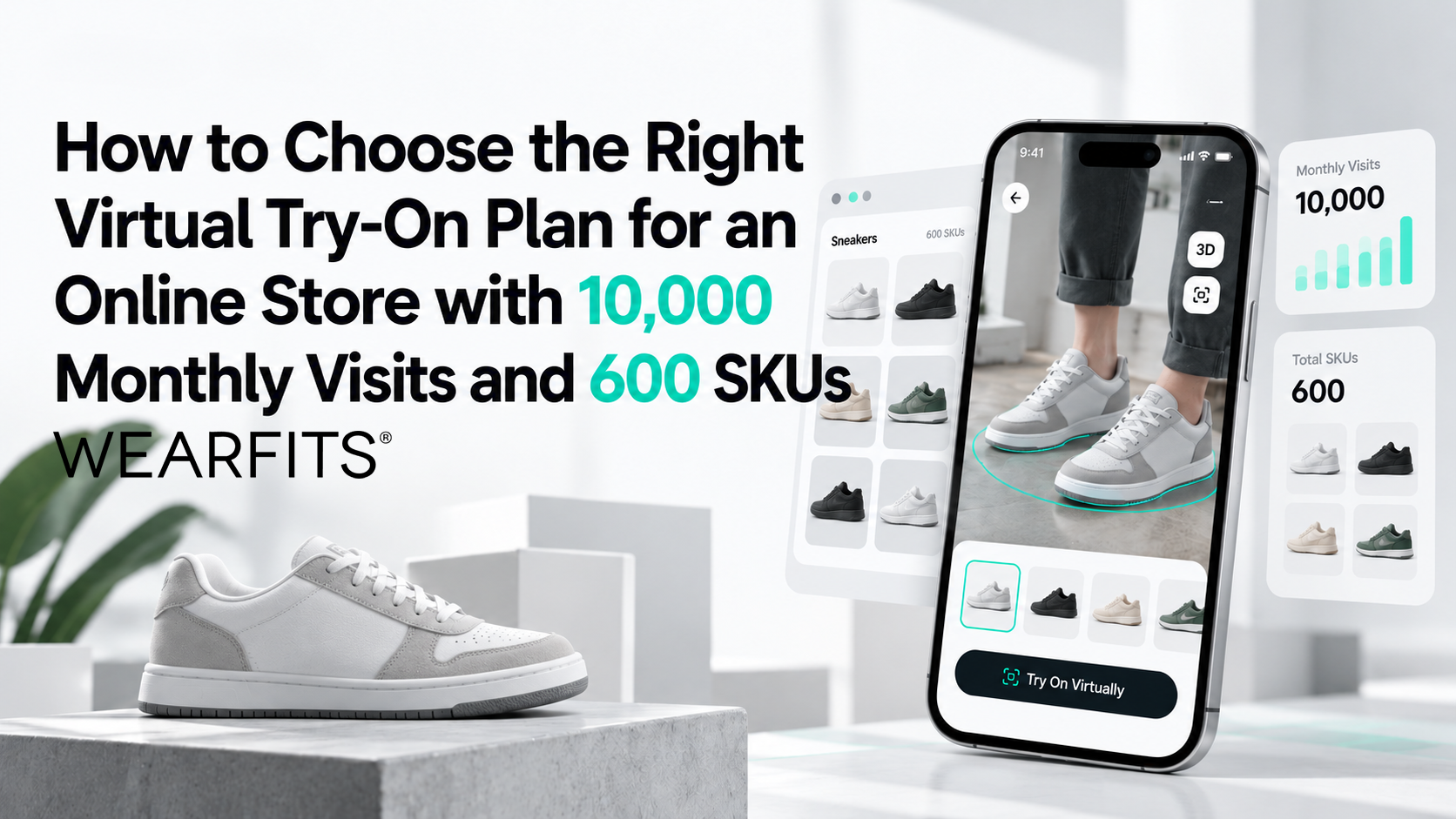
Choosing the right virtual try-on solution for your e-commerce store is not simply about finding the lowest monthly subscription. You also need to understand how many products require 3D visualization, how often customers will use the technology, and which features will deliver the greatest value for your business.
For an online fashion store receiving 10,000 visits per month and managing 600 SKUs, these considerations can make a significant difference to implementation costs.
Virtual try-on technology is already helping fashion retailers improve the online shopping experience. Industry benchmarks and implementation examples indicate potential benefits such as conversion rate improvements of 20–30%, longer product engagement, and fewer size-related returns. Actual performance depends on the product category, audience, and implementation.
However, the question many retailers face is not whether to introduce virtual try-on, but which virtual try-on pricing plan makes financial sense.
Should you pay for all 600 SKUs? Will 10,000 monthly visitors generate thousands of AR sessions? Is a Shopify virtual try-on app sufficient, or does your business need a dedicated API with AI size recommendations?
At WEARFITS, we help fashion brands and online retailers introduce AI-powered virtual try-on technology without unnecessary complexity. In this guide, we explain how to estimate your actual requirements, compare available plans, and prepare for a scalable implementation.
1. Understanding Product Limits: Why 600 SKUs May Require Only 60 3D Models
One of the most important steps when comparing virtual try-on pricing is determining what providers mean by a product.
Your inventory management system may display 600 SKUs, but that does not automatically mean you need 600 separate 3D models.
Traditional 3D production can become expensive when every product is created manually. Depending on complexity, individual models may cost hundreds of dollars, making large-scale digitization difficult for smaller retailers.
Modern solutions approach this differently.
With WEARFITS Photo-to-3D technology, brands can generate interactive 3D product representations from existing photography, reducing the need for manual modeling.
The Difference Between SKUs, Product Styles, and Color Variants
Before choosing a subscription, divide your catalog into three categories.
Size variants – A sneaker sold in ten different sizes creates ten inventory SKUs. However, these sizes generally share the same visual design. For virtual try-on purposes, they can use the same core 3D representation. Size recommendations, when enabled, are handled separately.
Color variants – If the same sneaker is available in black, white, and red, each colorway needs an appropriate visual representation. Different textures or color-specific assets may be required.
Parent products – These represent the underlying designs, such as a particular sneaker, handbag, or backpack model.
The distinction matters because virtual try-on product limits are primarily about the number of visual products being enabled, not every individual size in your inventory.
Example: Calculating Virtual Try-On Requirements for 600 SKUs
Consider two footwear retailers with similar inventory sizes.
Scenario A: A Catalog with Multiple Sizes
A shoe store offers 60 sneaker designs, each available in ten sizes.
60 designs × 10 sizes = 600 SKUs.
Despite having 600 inventory variants, the store needs approximately 60 distinct 3D product representations, assuming each design has one colorway.
Scenario B: A Catalog with Multiple Colorways
Another footwear brand offers 30 shoe designs, each available in three colors and six sizes.
30 designs × 3 colors × 6 sizes = 540 SKUs.
In this case, the virtual try-on catalog contains 90 visual product variants, not 540 individual size-based models.
This simple calculation can substantially reduce the estimated cost of introducing AR shopping.
Which WEARFITS Plan Fits Your Product Catalog?
For Shopify merchants, the WEARFITS Shoes Try-On app offers three subscription options:
- Bronze — $49/month: Up to 10 products and 1,000 users per month.
- Silver — $99/month: Up to 100 products and 2,500 users per month.
- Gold — $199/month: Up to 250 products and 5,000 users per month.
All three plans include a 14-day free trial.
For a footwear store with approximately 60–90 eligible product models, Silver is a logical starting point, provided its usage allowance meets the store's needs.
Businesses requiring custom integrations or larger deployments can explore WEARFITS API pricing, including Basic at €49/month, Starter at €499/month, Pro at €1,499/month, and Scale at €4,999/month.
The key takeaway is simple: calculate your unique visual products before comparing subscription limits. Your total SKU count alone does not tell you which plan you need.
2. How Many Virtual Try-On Sessions Will 10,000 Monthly Visits Generate?
Another common concern among e-commerce managers is how quickly their store might reach its monthly virtual try-on usage allowance.
A website receiving 10,000 visits does not necessarily need 10,000 try-on sessions.
Not every visitor opens a product page, and not everyone who views a product will activate the AR experience.
To estimate realistic demand, start with your existing shopping funnel.
Step One: Estimate Product Page Traffic
Assume your online store attracts 10,000 monthly visits.
Customers arrive through different channels and explore homepages, collections, blog articles, and product pages.
For planning purposes, consider an illustrative product detail page (PDP) reach rate of 30–50%.
Using a 40% assumption:
10,000 monthly visits × 40% = 4,000 visits reaching product pages.
These 4,000 PDP-reaching visits form the starting point for your usage forecast.
Step Two: Estimate Customer Engagement with Virtual Try-On
How prominently you display the virtual try-on feature can influence how frequently shoppers use it.
If the try-on option is hidden in an expandable section or represented by an unclear icon, engagement may remain limited.
For example, assuming an 8–15% activation rate:
4,000 × 8–15% = 320–600 try-on activations monthly.
A more visible implementation may achieve substantially higher engagement.
When shoppers see a clearly labeled “Virtual Try-On” button close to product images or purchase options, an illustrative 45–60% engagement scenario produces:
4,000 × 45–60% = 1,800–2,400 try-on activations monthly.
These percentages are forecasting scenarios, not guaranteed results. Real usage should be measured after launch.
Step Three: Match Expected Usage to Your Subscription
For a store with 10,000 monthly visits, a reasonable initial planning range might be 1,500–2,400 virtual try-on activations, depending on PDP traffic and interface design.
However, activations and unique users are not always identical. One shopper may try several products, and different plans may define billable usage differently.
For example, the Silver Shopify plan includes up to 2,500 users per month, while Gold supports up to 5,000. The WEARFITS Starter API plan lists 10,000 Try-on/AR traffic per month.
Review the relevant usage definition before making a final choice.
The objective is not to purchase the largest plan available. It is to select enough capacity for regular customer activity while allowing room for increased engagement during promotions, seasonal campaigns, and future growth.
3. What Else Determines the Best Virtual Try-On Plan?
Product count and traffic are important, but they are only part of the decision.
The right technology also depends on your product category, customer expectations, return rates, and e-commerce platform.
Virtual Try-On for Footwear
Shoes are particularly well suited to augmented reality because shoppers often want to understand how a design looks on their feet before buying.
With WEARFITS AR shoe try-on, customers can use their smartphone camera to see a digital version of the footwear on their feet.
This creates a more interactive experience than static product photography and can help customers evaluate appearance, proportions, and style.
For footwear brands struggling with size-related returns, combining AR visualization with AI-powered size guidance can address an additional purchase concern.
Virtual Try-On for Bags and Backpacks
For handbags and backpacks, customers are often concerned about proportions, positioning, and how an accessory looks when worn.
An AR shopping experience can help shoppers understand visual scale and see products in different carrying positions, such as over the shoulder or across the body.
For retailers selling premium accessories, interactive visualization adds useful product context without requiring the customer to visit a physical store.
AI Virtual Try-On for Apparel
Clothing requires a different technical approach because fabric appearance, body shape, garment silhouette, and styling all affect the experience.
Through the WEARFITS Virtual Try-On API, retailers can build digital fitting experiences that place clothing onto customer images or reusable digital twins.
This is particularly relevant for fashion businesses seeking personalized product previews, outfit visualization, or integrations into existing shopping applications.
AR Try-On vs. AI Size Recommendations
It is important to distinguish between visual try-on and size recommendation technology.
AR virtual try-on shows shoppers what a product looks like when worn. It primarily supports visualization, product discovery, and purchase confidence.
AI sizing and fit technology helps shoppers decide which size to purchase. For footwear, this may involve smartphone-based foot measurement, brand-specific size chart matching, and fit visualization.
WEARFITS offers shoe size and fit capabilities designed to complement virtual try-on, including foot scanning and visual fit guidance.
For businesses focused primarily on improving product engagement, an AR-focused subscription may be enough.
For retailers experiencing high return volumes caused by incorrect sizing, adding a dedicated fitting solution may provide greater value.
The best choice depends on whether your main challenge is helping customers visualize products or helping them select the correct size.
4. Shopify Virtual Try-On App or Enterprise API: Which Should You Choose?
Your existing e-commerce infrastructure also determines which implementation approach makes sense.
When a Shopify App Is the Better Option
For footwear merchants using Shopify, a ready-made app is typically the simplest route.
The WEARFITS Shopify integration connects directly with Shopify Admin and supports automatic 3D generation from product photographs.
Merchants can configure eligible products, activate the storefront try-on button, and manage their selection without building a custom integration.
This approach works particularly well for stores that want to launch quickly, maintain predictable subscription costs, and avoid substantial development work.
It is also useful for retailers testing how customers respond to immersive product experiences before expanding further.
When a WEARFITS API Makes More Sense
Larger retailers, custom storefronts, and businesses operating across multiple channels may need greater flexibility.
The WEARFITS API supports custom workflows for virtual fitting, reusable digital twins, product digitization, and size estimation.
Depending on the integration, brands can connect virtual try-on experiences with their own product databases, shopping interfaces, or customer applications.
The currently published WEARFITS pricing includes:
- Basic — €49/month: 10 active products and 500 monthly Try-on/AR traffic
- Starter — €499/month: 1,200 active products and 10,000 monthly Try-on/AR traffic.
- Pro — €1,499/month: 6,000 active products and 100,000 monthly Try-on/AR traffic.
- Scale — €4,999/month: 12,000 active products and 500,000 monthly Try-on/AR traffic.
For a standard Shopify footwear store with fewer than 100 visual products, Silver will often be the more economical starting point.
For headless commerce, custom integrations, or advanced fitting functionality, an API-based deployment may be more suitable.
5. Should You Start with Best-Sellers or Enable Your Entire Catalog?
Once you have identified the appropriate pricing plan, the next decision concerns rollout.
Should you activate virtual try-on across all products immediately or test the technology on a smaller collection?
Starting with a few best-selling products can reduce initial complexity. However, limiting AR to only eight or ten items in a catalog containing hundreds of SKUs may create an inconsistent shopping experience.
Customers who enjoy trying on one product may expect the same functionality when browsing similar items.
A more effective approach is to begin with a representative product selection and expand based on measured results.
A Practical Four-Week Virtual Try-On Pilot
Week 1: Select Relevant Products
Identify approximately 50 products or product styles that generate meaningful traffic, conversions, or return volumes.
Choose products with comparable demand and customer characteristics to make your analysis more reliable.
Week 2: Configure Your Test
Enable virtual try-on for one test group while keeping a comparable group without the feature.
Where traffic allows, a randomized visitor-level A/B test on the same products provides stronger evidence than comparing unrelated products.
Weeks 3–4: Monitor Customer Behavior
Track important e-commerce KPIs, including product page engagement, add-to-cart rates, conversion rates (CVR), average order value (AOV), and use of the virtual try-on feature.
Continue monitoring return rates after the test, allowing enough time for orders to be delivered and returned.
After the Pilot: Evaluate and Expand
Compare results against your baseline and calculate whether the improvement justifies expanding the implementation.
For example, a 15% relative conversion improvement may be a useful internal growth target, although results should be evaluated alongside testing costs and statistical confidence.
Because WEARFITS can generate 3D assets from product images, expanding catalog coverage does not require manually recreating every product.
This allows retailers to move from a controlled pilot toward broader virtual try-on availability as their business requirements grow.
6. What Information Do You Need Before Choosing a Plan?
To receive an accurate virtual try-on recommendation, it helps to prepare a few essential details about your store.
1. Number of unique product designs and colorways
Identify how many visual product variants require their own digital representation. Exclude size-only SKUs where the same visual model can be reused.
2. Monthly store visits and product page traffic
Share your total monthly sessions and, where available, how many visitors reach product pages. This helps estimate realistic virtual try-on usage.
3. E-commerce platform
Specify whether you use Shopify, WooCommerce, a custom storefront, or a headless commerce architecture. The integration route affects implementation effort and pricing.
4. Required features
Decide whether you need AR visualization alone or a broader solution incorporating AI sizing, fit recommendations, and digital fitting experiences.
5. Customer touchpoints
Consider where customers should access virtual try-on, including product pages, mobile applications, or in-store digital experiences.
6. Available product photography
Prepare clear product photographs, ideally showing several angles. High-quality imagery helps the WEARFITS photo-to-3D process create better visual representations.
With these details, our team can assess your catalog, recommend an appropriate deployment model, and identify potential limitations before implementation begins.
7. How to Make Virtual Try-On a Profitable E-Commerce Investment
Introducing virtual try-on should be treated as a business improvement project rather than simply another website feature.
For a store attracting 10,000 visitors each month, the objective is to help more shoppers make confident purchasing decisions without increasing operational costs unnecessarily.
A practical investment assessment should consider three areas.
First, calculate how much of your catalog requires separate visual assets. A 600-SKU store may only need 60–90 product models, significantly changing the scale of implementation.
Second, estimate actual try-on demand rather than assuming every visitor will activate the technology. PDP traffic and customer engagement offer a more useful basis for selecting usage capacity.
Third, match the features to your business objectives. Visual AR try-on can support customer engagement and product presentation, while AI sizing can address uncertainty around fit.
You should also measure the cost of the solution against incremental gross profit, potential reductions in returns, and ongoing integration or asset-management expenses.
The most appropriate virtual try-on plan is not necessarily the cheapest or most advanced. It is the one that provides enough functionality and capacity to create measurable value.
Conclusion: Choose a Virtual Try-On Plan That Grows with Your Store
Selecting the right virtual try-on subscription becomes easier once you understand the relationship between SKUs, distinct 3D product models, monthly traffic, and the features your shoppers actually need.
For an e-commerce store with 600 SKUs and 10,000 monthly visits, a carefully calculated rollout can offer immersive shopping experiences without requiring an enterprise-level investment from day one.
At WEARFITS, we make it easier for fashion businesses to introduce AR product visualization, AI-powered fitting, and scalable product digitization into their existing online shopping journeys.
Whether you begin with the WEARFITS Shopify app or explore our custom virtual try-on solutions, the goal remains the same: help customers shop with greater confidence while giving your business a scalable approach to immersive commerce.
Find the Best WEARFITS Virtual Try-On Plan for Your Business
Not sure how many 3D products your store needs or which subscription matches your traffic?
Contact the WEARFITS team and share your store URL, monthly traffic, and approximate number of unique product models.
We'll help you evaluate your catalog, estimate expected virtual try-on usage, and choose an implementation approach that fits your e-commerce goals and budget.
Related posts
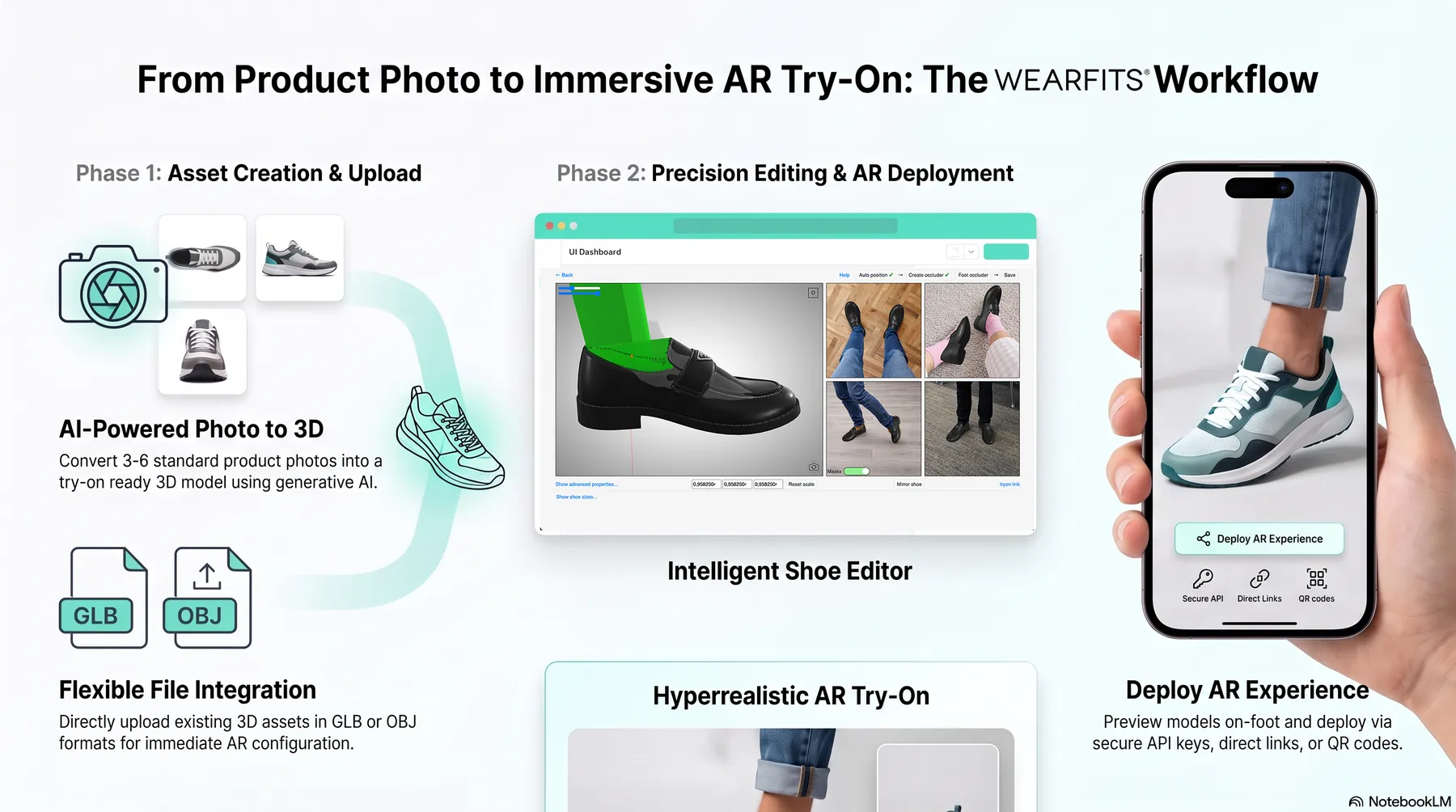
How to Set Up Virtual Try-On for Shoes and Bags: A Complete WEARFITS SaaS Dashboard Guide
Why Footwear Returns Need More Than Better Sizing: Solving the “Fit vs. Look” Problem

The Integration Era: 5 Lessons from Stride 2026 That Are Redefining Footwear
