From Size Recommendations to Purchase Confidence: How to Design and A/B Test “Fit Confirmed” Messages on Product Pages

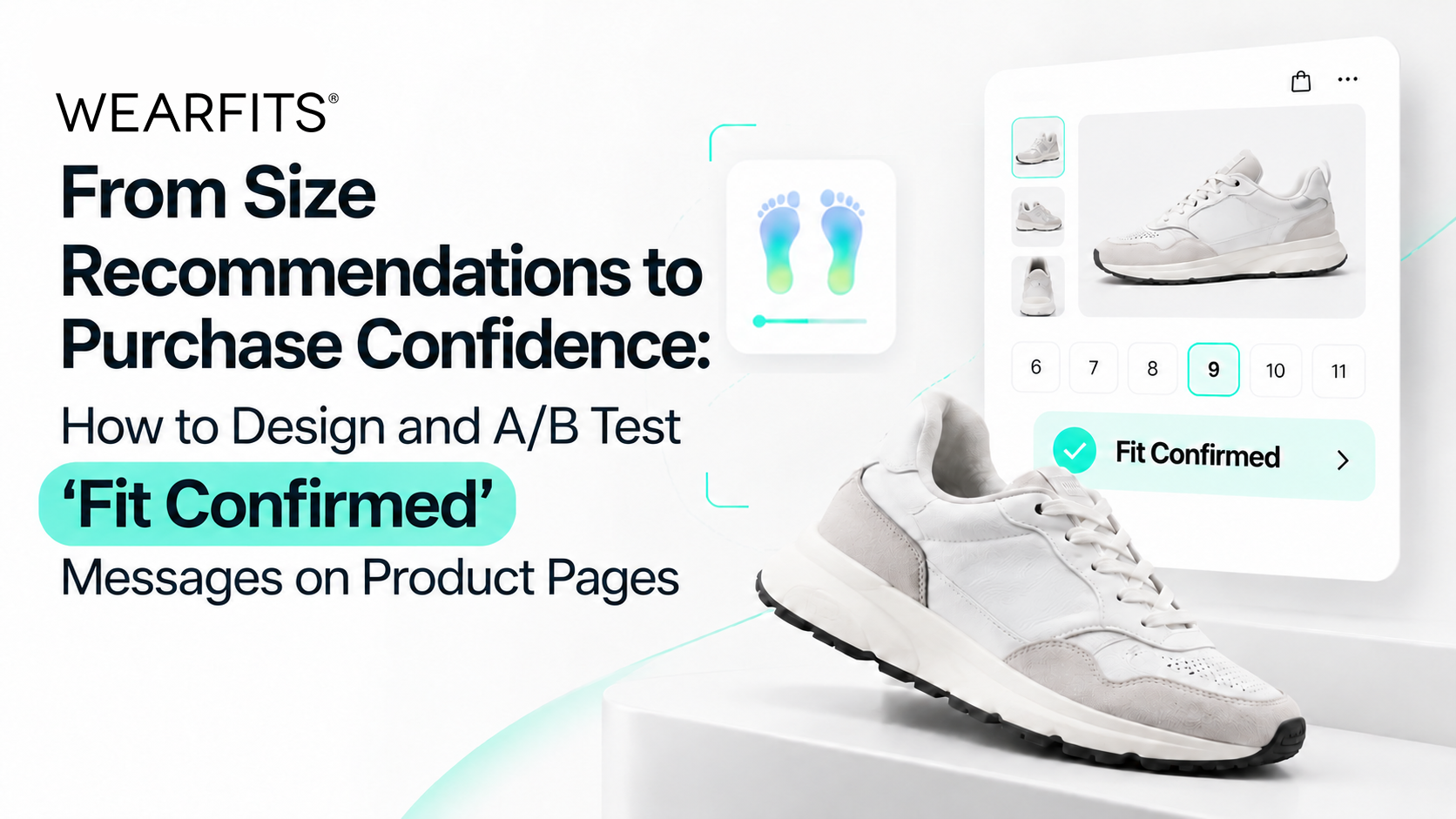
Accurately recommending a shoe size is only the beginning of solving the footwear sizing challenge in e-commerce. The real opportunity lies in helping shoppers trust that recommendation enough to complete their purchase.
For many online retailers, implementing an AI-powered sizing tool seems like the final step toward reducing uncertainty. Yet a message such as “Your recommended size is EU 39” often leaves important questions unanswered: Why this size? Will the shoes feel tight? Does this brand run small? What if I am between sizes?
These doubts create a purchase confidence gap — the distance between receiving a size recommendation and feeling comfortable acting on it.
When customers cannot close that gap, they may abandon the product detail page (PDP), postpone their purchase, or order several sizes intending to return the ones that do not fit. This behavior, known as bracketing, increases shipping expenses, reverse logistics costs, and operational complexity. Our WEARFITS analysis of footwear returns and their impact on profitability explains why uncertainty about sizing has become a critical issue for fashion retailers.
At WEARFITS, our experience across more than 40 fashion and footwear product-page implementations has reinforced an essential principle: sizing technology delivers its greatest value when accurate recommendations are supported by intuitive UX, convincing explanations, and a frictionless purchase journey.
In this guide, we explore how to design effective Fit Confirmed messages, communicate the reasoning behind AI size predictions, manage borderline sizing cases, and measure the business impact through structured A/B testing.
1. What Does “Fit Confirmed” Mean in Footwear E-Commerce?
A Fit Confirmed indicator should be more than a visually appealing badge next to the size selector. Its purpose is to communicate that a specific product size has been assessed against the shopper's individual foot measurements.
Unlike conventional shoe size charts, which primarily translate sizes between different numbering systems, advanced footwear sizing considers the three-dimensional relationship between the customer's foot and the shoe's internal construction.
Within the WEARFITS Virtual Try-On & Sizing experience, fit assessment uses dimensions such as foot length, width, instep characteristics, and circumference. These measurements can be evaluated against the geometry and fitting tolerances associated with a specific shoe model and SKU.
When the resulting fit assessment satisfies the applicable criteria, the interface can communicate a positive verdict through the Fit Confirmed signal.
As we explain in our article on AI foot measurement and AR-powered shoe sizing, combining personalized measurements with model-specific sizing information provides more meaningful guidance than relying on the size printed on a shoe box.
Three elements of an effective Fit Confirmed message
1. Emotional reassurance
Customers should immediately understand the outcome. Instead of presenting an isolated number, the interface can display:
“Fit Confirmed — Recommended size: EU 39.”
The message offers clarity without requiring the customer to interpret complicated technical information. However, a confirmed verdict should only appear when the available measurement data supports it.
2. A credible explanation
A recommendation becomes more persuasive when shoppers understand that it reflects the actual footwear model rather than a generic conversion chart.
For example:
“EU 39 matches your foot measurements and the fit profile of this shoe.”
3. A direct connection to purchase
The recommended size should be visibly highlighted in the size selector. Where appropriate, the interface can preselect it while allowing shoppers to change the choice.
The objective is simple: remove unnecessary decisions between receiving fit guidance and clicking “Add to Cart.”
2. Explain Why the Algorithm Recommends a Particular Size
One of the most common weaknesses of traditional sizing widgets is the absence of context.
A recommendation might be mathematically accurate, but the customer cannot evaluate its reliability without knowing how it was produced.
This challenge becomes particularly important in footwear, where the same nominal size can feel dramatically different across brands, collections, and individual models.
The reason is largely connected to the shoe last — the three-dimensional form that determines the footwear's internal shape. Toe-box width, heel structure, instep volume, materials, and construction methods all influence how a shoe fits.
Our detailed guide to why shoe sizes differ between brands examines how these differences make conventional sizing labels insufficient.
For UX designers, the solution is not to display every measurement used by the algorithm. It is to translate complex fit analysis into a short explanation that customers can understand instantly.
Use model-specific sizing explanations
Rather than simply stating:
“Recommended size: EU 39.5”
Consider:
“We recommend EU 39.5 for this model because its toe box is narrower than average.”
Where verified measurements are available, the interface may also communicate a specific dimensional difference.
Such explanations demonstrate that the recommendation reflects the footwear's individual characteristics, not merely the shopper's usual size.
Describe fit in terms of comfort
Most customers care more about how shoes will feel than about technical measurements.
A useful presentation might include:
- Heel: Secure and stable.
- Forefoot: Comfortable width.
- Toe area: Adequate room for movement.
- Instep: Suitable for your foot profile.
This approach turns technical data into practical reassurance.
The descriptions must remain consistent with the actual prediction. If the analysis identifies potential pressure around the forefoot, the interface should disclose that limitation rather than promise a perfect fit.
Connect explanations with interactive AR visualization
Text becomes more convincing when customers can visually explore the recommendation.
With WEARFITS Virtual Try-On & Sizing, augmented reality and fit guidance can operate within the same shopping experience.
A shopper can view the selected shoe virtually while examining visual indicators associated with its expected fit.
A color-coded heatmap can make differences easier to recognize: comfortable regions appear in reassuring tones, while areas requiring attention receive contrasting highlights.
The advantage is not visualization alone. It is the relationship between what the customer sees and what the sizing system recommends.
When a shopper can connect a fit verdict with an understandable visual explanation, a numerical recommendation becomes a more meaningful purchase decision.
3. How Should UX Handle Customers Between Two Shoe Sizes?
Not every foot fits neatly into a single size category.
A shopper may fall between EU 38.5 and EU 39, or their measurements may suggest a compromise between length, width, and preferred wearing comfort.
These situations require particular attention because an excessively confident recommendation can be just as damaging as no recommendation at all.
The correct approach is to communicate uncertainty transparently and help customers compare reasonable alternatives.
Acknowledge the borderline fit
Instead of automatically displaying “Perfect Fit,” use wording such as:
“Your measurements fall between EU 38.5 and EU 39. Both sizes may work depending on your preferred fit.”
This message recognizes the ambiguity while providing a clear path forward.
Explain the difference between available options
For example:
EU 38.5 — Closer fit
“A more snug feel with less additional room.”
EU 39 — More relaxed fit
“Extra space for everyday comfort or thicker socks.”
These are illustrative messages rather than universal footwear rules. A running shoe, leather boot, and casual sneaker may require different allowances, so the recommendation should reflect the intended use and product construction.
Enable side-by-side size comparisons
An interactive size-switching experience can help customers understand the trade-offs between neighboring sizes.
Within the WEARFITS approach, shoppers can compare available fit assessments while exploring footwear through an AR interface.
Where supported by the underlying product data, switching from EU 38.5 to EU 39 can update the fit visualization, helping users identify differences in expected pressure or available space.
This makes size selection more understandable than repeatedly consulting a static chart.
Offer a low-friction measurement journey
When no personal foot profile is available, the PDP should introduce the sizing process through a concise invitation:
“Not sure about your size? Measure your feet with your phone for personalized guidance.”
The message should explain the benefit, expected effort, and any camera permissions before the customer begins.
A reusable measurement profile can also simplify future shopping journeys, reducing the need to repeat the same process for every product.
4. Where Should Fit Confirmed Appear on the Product Detail Page?
Even an excellent recommendation can fail if shoppers do not notice it.
For this reason, PDP UX design and information hierarchy are just as important as the accuracy of the sizing engine.
At WEARFITS, we recommend treating fit guidance as part of the purchasing interface rather than as an optional informational feature hidden elsewhere on the page.
Place sizing guidance next to the size selector
The most logical location for Fit Confirmed is directly beside or above the size selection controls.
A clear decision sequence looks like this:
- Product name and price.
- Available sizes with the recommended size highlighted.
- Fit Confirmed verdict and brief explanation.
- Optional “View Fit Details” or “Try On in AR” action.
- Add to Cart button.
The customer should not need to search through product descriptions, open multiple accordions, or navigate to a separate sizing page to receive guidance.
Prioritize mobile shopping experiences
Mobile layouts deserve special consideration because available screen space is limited and essential purchase controls often compete for attention.
Rather than trying to force every element into a fixed pixel height, focus on making the fit message visible at the moment customers interact with the size selector.
Use concise copy, readable text, clear touch targets, and a layout that does not push the primary purchase action unnecessarily far down the page.
An expandable fit explanation can provide additional detail without overwhelming the initial interface.
Introduce virtual try-on earlier in the shopping journey
The opportunity to communicate fit confidence starts before the shopper reaches the PDP.
On product listing pages (PLPs), labels such as “Virtual Try-On Available” or “Check Your Fit” can differentiate supported products from the rest of the catalog.
These signals encourage exploration while preparing customers for a more personalized product-page experience.
Our WEARFITS analysis of virtual try-on across the e-commerce funnel explains how interactive product experiences can influence discovery, product consideration, conversion, and post-purchase outcomes.
Preserve the selected size after AR interaction
Opening a virtual fitting room should not interrupt the purchase journey.
When shoppers close the AR interface, the PDP should retain their chosen size, recommendation state, and relevant product information.
Ideally, they return directly to the purchase controls, with the appropriate variant highlighted and ready to add to the cart.
This continuity reduces friction and prevents shoppers from repeating decisions they have already made.
5. How to A/B Test Fit Confirmed Messages and Measure Results
Introducing an AI sizing recommendation does not automatically guarantee higher conversion.
Different message formats, placements, and levels of explanation can influence how customers interpret the same recommendation.
A structured A/B test for footwear PDP optimization helps retailers identify which experience produces meaningful improvements rather than relying on assumptions.
Build an experiment around three UX variants
Variant A: Standard size selection
Customers see the conventional size selector and a link to the size chart.
This serves as the control experience.
Variant B: Basic AI size recommendation
The PDP displays a simple recommendation:
“Recommended size: EU 39.”
No detailed explanation or interactive visualization is included.
Variant C: Complete Fit Confirmed experience
The PDP displays:
“Fit Confirmed — EU 39”
The recommendation is accompanied by a short fit explanation, a highlighted size option, and access to an interactive AR fit visualization.
This structure allows teams to compare standard sizing against basic recommendations and a more comprehensive confidence-building experience.
For reliable results, assign eligible shoppers randomly, keep assignments consistent, and define the primary success metric before launching the experiment. Testing one major change at a time can also help isolate which UX element creates the greatest benefit.
Track metrics beyond clicks
An effective test should measure both immediate shopping behavior and longer-term commercial outcomes.
Fit Engagement Rate
The percentage of eligible PDP sessions in which shoppers interact with fit guidance.
A 45–60% engagement rate may serve as an exploratory planning target, but the relevant benchmark depends on product category, traffic mix, and interface placement.
Recommendation Acceptance Rate
The proportion of eligible add-to-cart events where the customer selects the size recommended by the algorithm.
This metric helps evaluate whether shoppers actually follow the advice they receive.
Product Page Conversion Rate
The percentage of PDP sessions resulting in a purchase, evaluated consistently across variants.
Our WEARFITS research on virtual shoe sizing and AI fit prediction discusses potential conversion improvements associated with combining AR visualization and personalized sizing.
However, any projected uplift should be treated as a hypothesis until validated through a retailer's own controlled experiment.
Bracketing Rate
The percentage of orders containing the same footwear model in two or more sizes.
A reduction in this behavior can indicate that customers feel sufficiently confident to select one size instead of ordering several alternatives.
Size-Related Return Rate
The proportion of fulfilled orders returned because the item was too small, too large, or otherwise unsuitable in fit.
Since returns take time to occur, this metric should be assessed over an appropriate post-purchase observation period, such as 30–60 days, depending on the retailer's return policy.
Connect UX performance with profitability
Conversion alone cannot describe the full business impact of sizing improvements.
A more complete evaluation combines conversion rate, average order value, reverse logistics expenses, and size-related returns.
For example, a variant that increases immediate purchases but also significantly increases returns may deliver less value than its initial conversion results suggest.
Retailers should therefore consider net revenue and contribution margin alongside engagement metrics.
The WEARFITS purchase funnel calculator provides a useful starting point for exploring how changes across the customer journey can influence commercial performance.
6. Make Fit Confidence a Continuous UX Improvement Process
The effectiveness of Fit Confirmed messaging depends on more than choosing the right wording once.
Customer expectations, product assortments, devices, and shopping behavior evolve. The sizing experience should evolve alongside them.
Review how customers interact with fit recommendations across product categories, brands, and device types. Identify where they hesitate, reject the suggested size, reopen sizing information, or abandon the purchase journey.
Use those signals to refine microcopy, adjust placement, improve comparisons between neighboring sizes, and reduce unnecessary interaction steps.
It is equally important to ensure that messaging reflects the quality of available data. A high-confidence recommendation, an estimated fit, and an inconclusive measurement should not all receive the same verdict.
Trust grows when the interface is clear about both what it knows and what it cannot guarantee.
Conclusion: Turn AI Shoe Sizing Into Purchase Confidence
The future of footwear e-commerce is not simply about predicting the correct numerical size. It is about helping every shopper understand why a particular shoe is likely to fit and giving them the confidence to act on that information.
Effective Fit Confirmed UX combines personalized recommendations, transparent explanations, intelligent size comparisons, and a seamless connection to the purchase button.
When these elements work together, sizing technology becomes more than a utility. It becomes an essential part of the product-page conversion experience.
At WEARFITS, we bring virtual try-on, AI-powered sizing, and interactive fit guidance together to help footwear retailers build more intuitive shopping journeys and make better-informed purchase decisions.
Ready to improve your product page UX?
Start by reviewing where customers encounter sizing uncertainty, test alternative Fit Confirmed messages, and measure their effect on conversion, bracketing, and returns.
Explore WEARFITS Virtual Try-On & Sizing and connect with our team to discuss how personalized fit experiences can support your e-commerce strategy.
Related posts
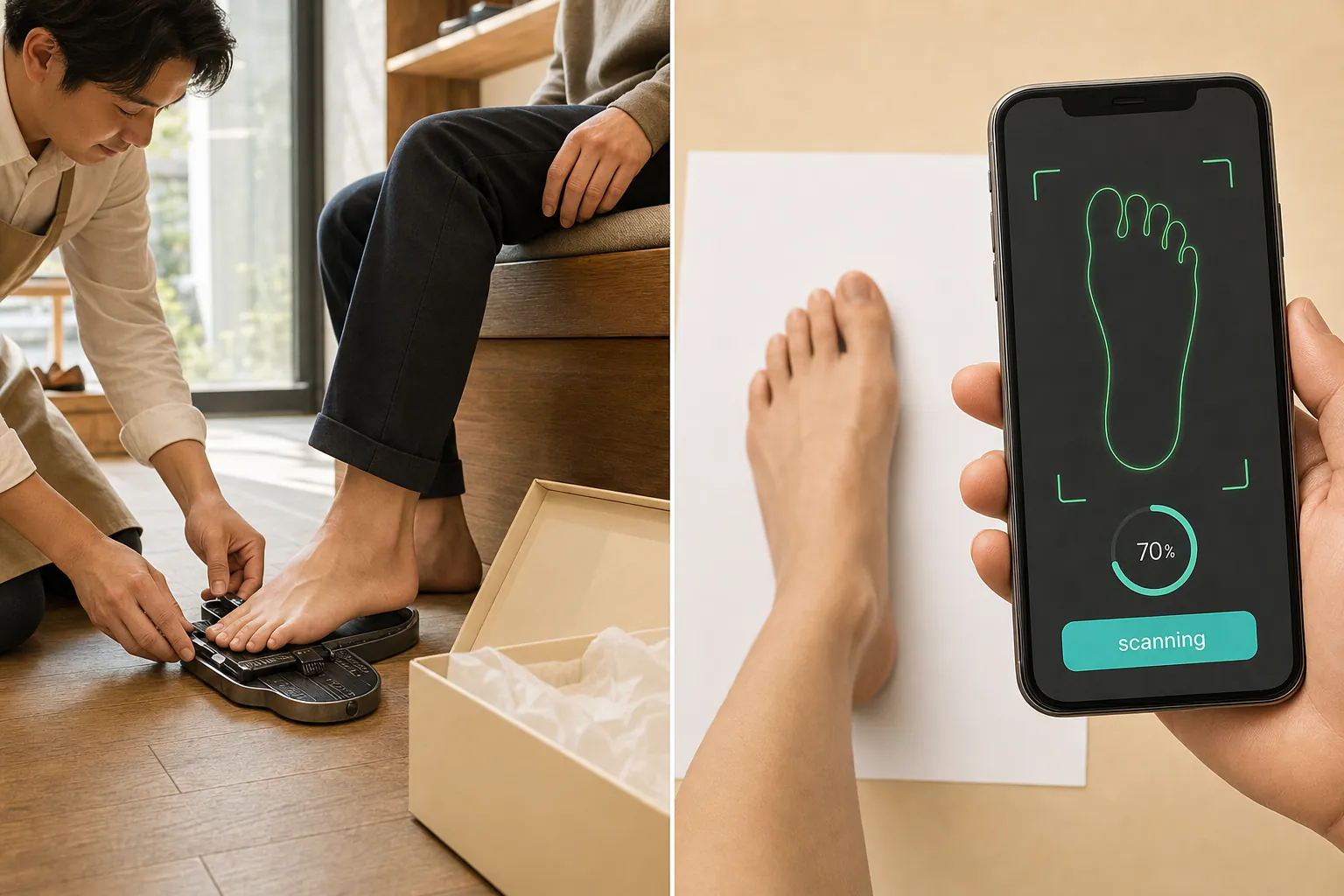
The Two-in-One Problem: How AI Foot Measurement, Brand-Specific Size Charts, and AR Try-On Eliminate Online Shoe Returns
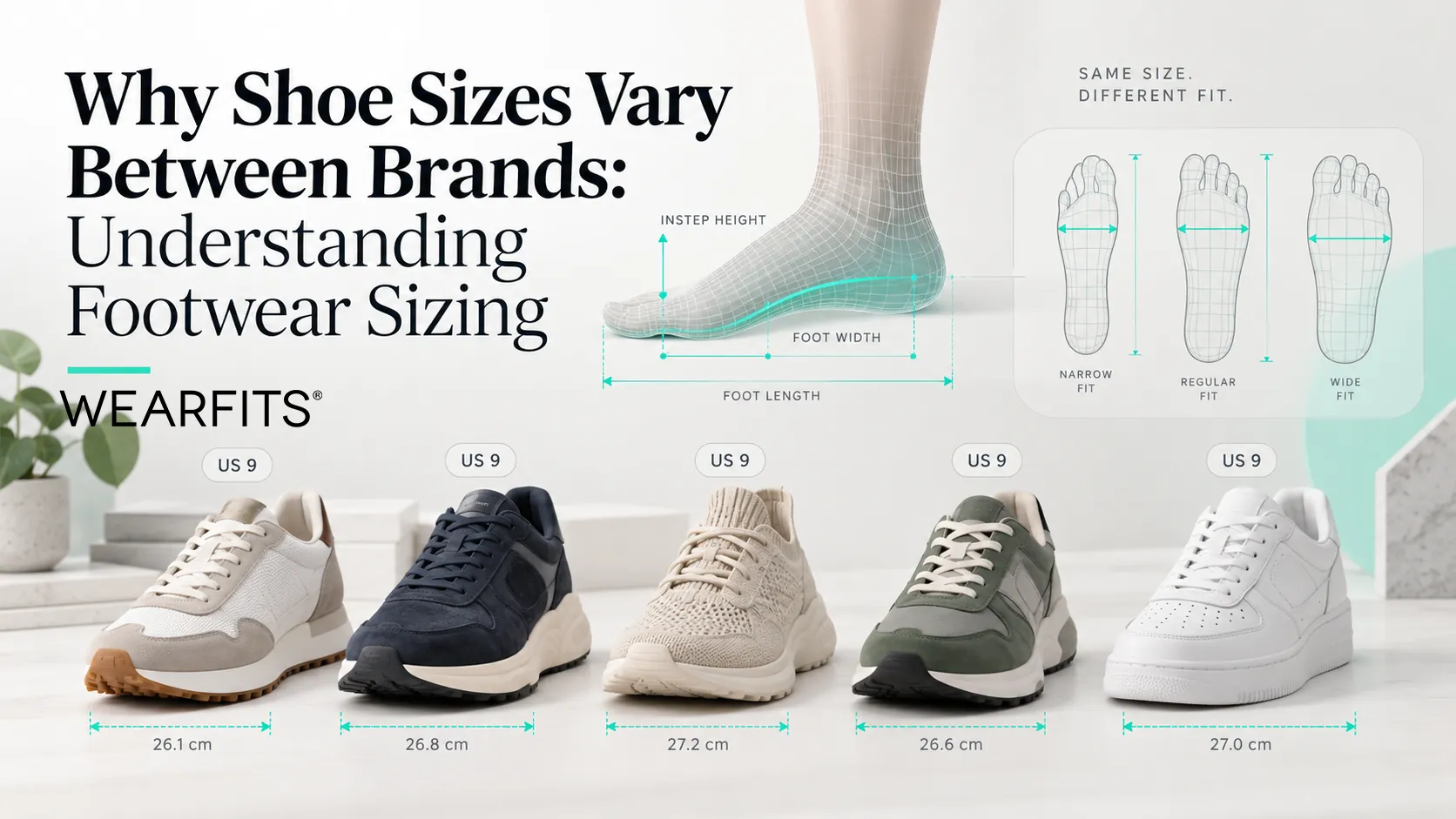
Why Shoe Sizes Differ Between Brands: The Science Behind Footwear Sizing
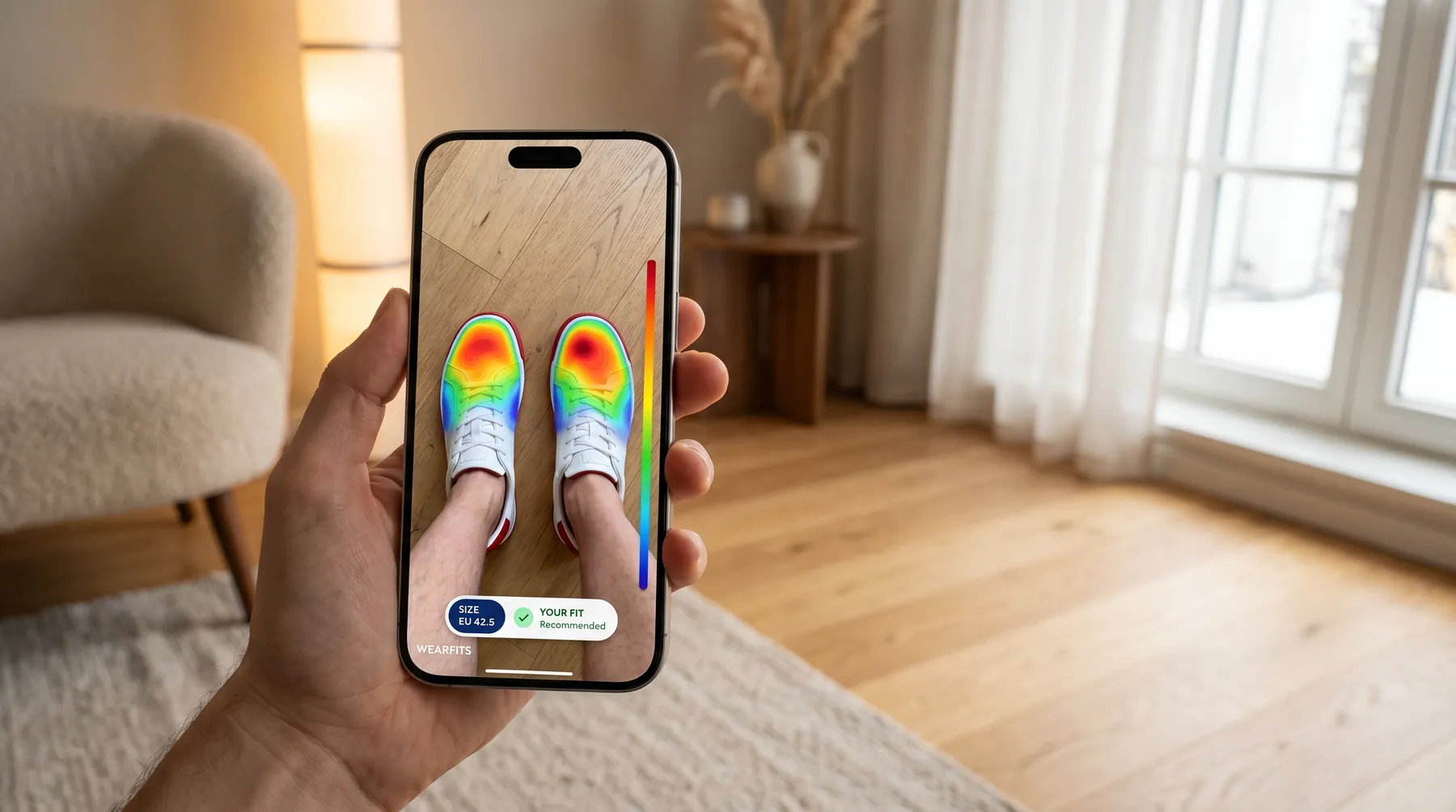
Virtual Shoe Sizing: How AR Try-On Plus AI Fit Prediction Reduces Footwear Returns
